
FLOOR PLAN INTELLIGENCE FOR PRINT FLEETS

Every device, mapped to its exact spot.

In-Map is a ground-breaking software that shows print device data on interactive floor plans – built for resellers, service providers, and the customers they support.

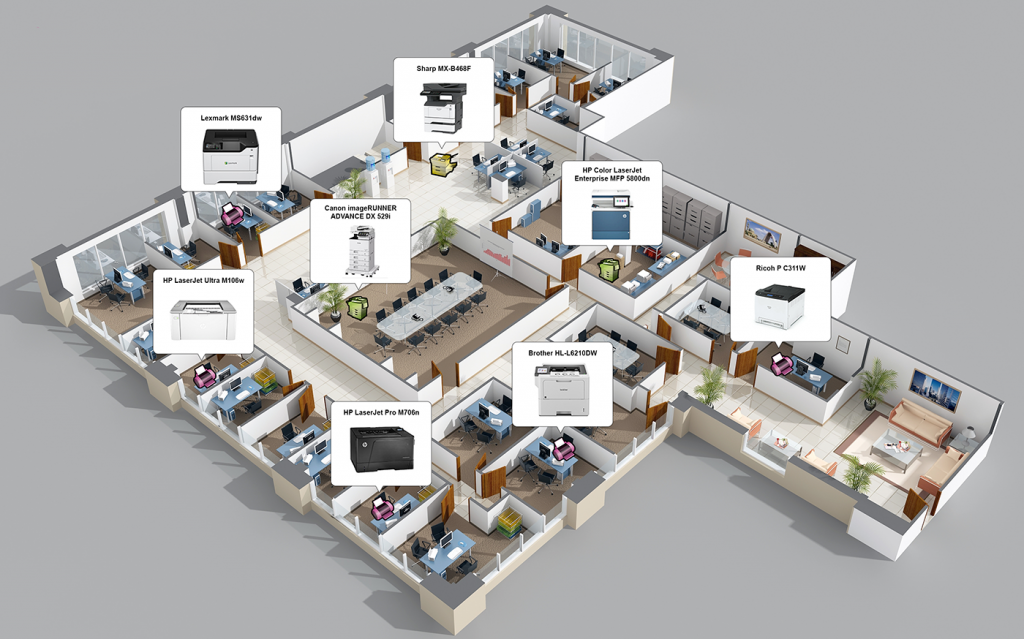
In-Map delivers a mapping interface that overlays detailed data onto actual office floor plans, providing fleet visibility across multiple floors, buildings and sites.


View devices on the floor plan with detailed information

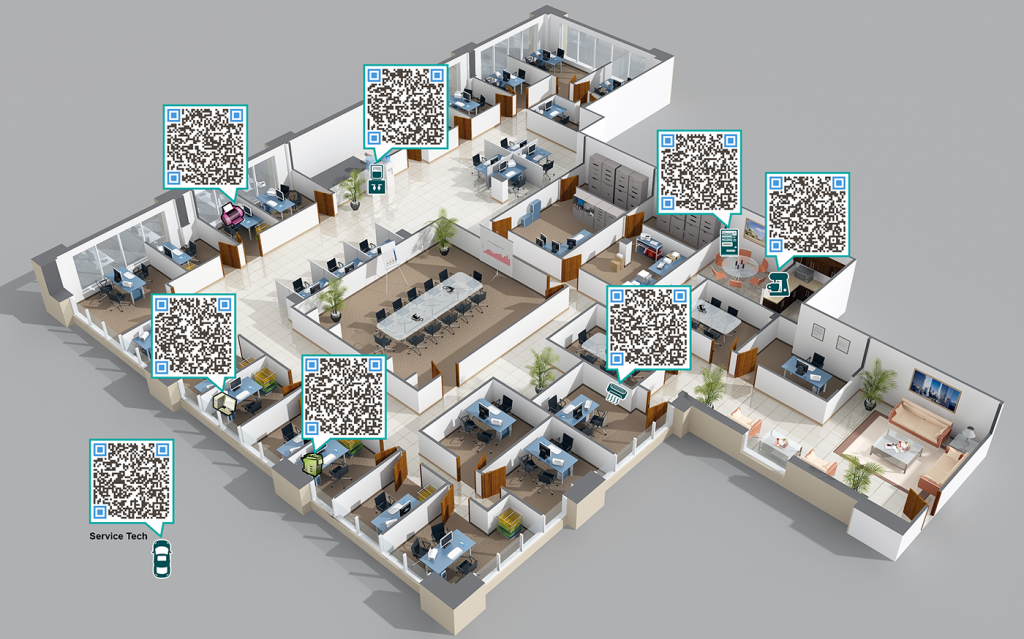
Scan QR Codes and send service requests

WHAT IT DOES

A lead-generation tool built on a picture, not a spreadsheet.

They say a picture paints a thousand words. A graphical view of a company’s printer environment is the fastest, clearest way to hand a customer an overview – and the logical next step once a prospect is interested in your services.

In-Map starts the conversation between a service provider and an end-user, customer, or prospect, by putting detailed device data directly onto the customer’s own internal floor plan.

WHY CHOOSE IN-MAP

An easy, effective way to build managed print services with customers and prospects.

In-Map allows you to import devices from any DCA with extended data, map the current fleet on visual floor plans and design different proposals and reports.

1

Import devices from preferred DCA

Export your assets data from your current DCA and easily import them into In-Map.

2

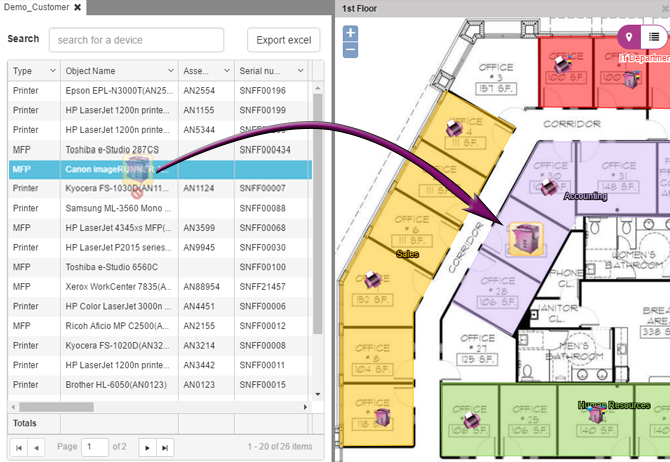
Map the current fleet on visual floor plans

Place devices on your customer’s floor plans, so device data reads in the context of where people actually work.

3

Consolidate devices and create proposals

Group underused or ageing devices into a single view, and build your new fleet proposal straight from the plan. TCO calculations included.

4

Compare proposals and generate reports

Show a customer two or more fleet options side by side, on the plan they already recognise as their own space or generate customisable reports.

IPAD APP AVAILABLE

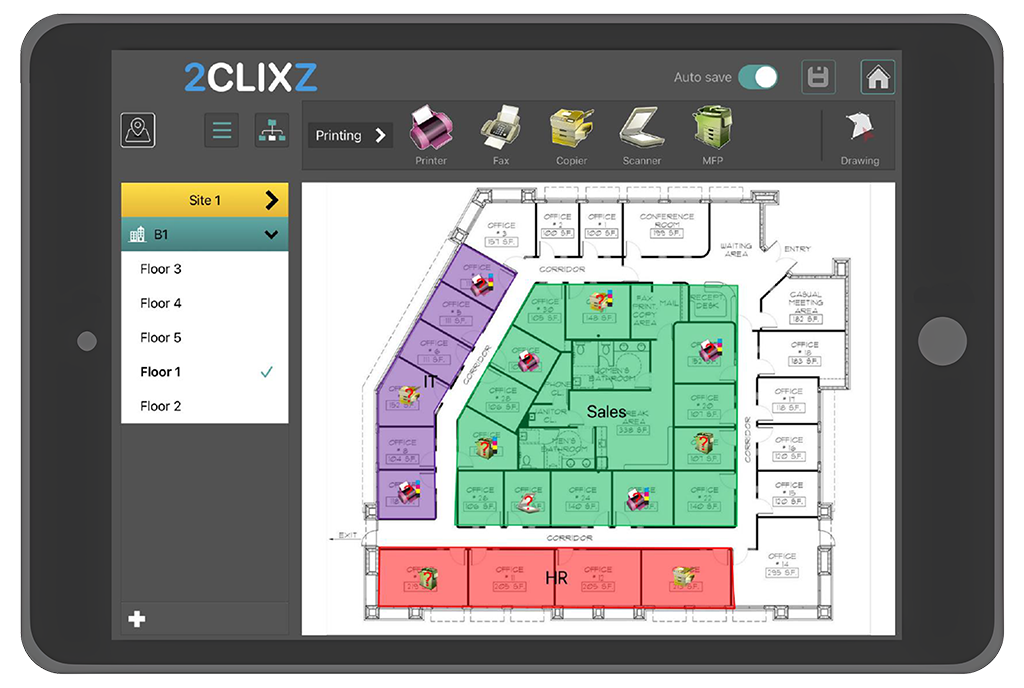
Walk the floor and place the devices even in an offline zone.

With our iPad application you can see which assets are already placed on the map and which are still waiting – right from the floor plan. The application can work even without an internet connection.
  • Import customers straight from the cloud.
  • Place devices with a Bluetooth bar code scanner — just scan the serial number.
  • Tap any device icon on the map to pull up its full data.
  • Draw department boundaries on the plan and highlight each one with a color.

GENERATE REPORTS

Turn collected data into a document your customer keeps.

The end result of your work within In-Map will be the generated reports you intend to pass to your customers.

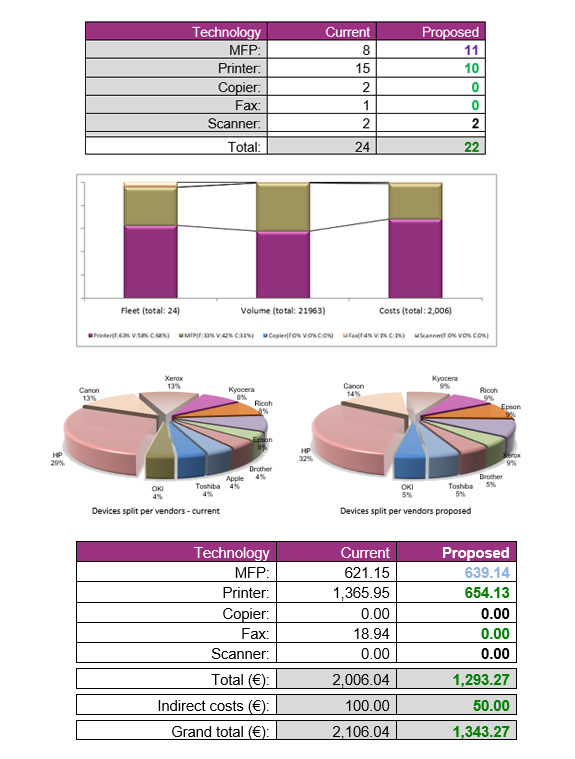
These reports represent perfectly structured documents with the details of all data which you collected and your own recommendations for your customers from the proposed situations.

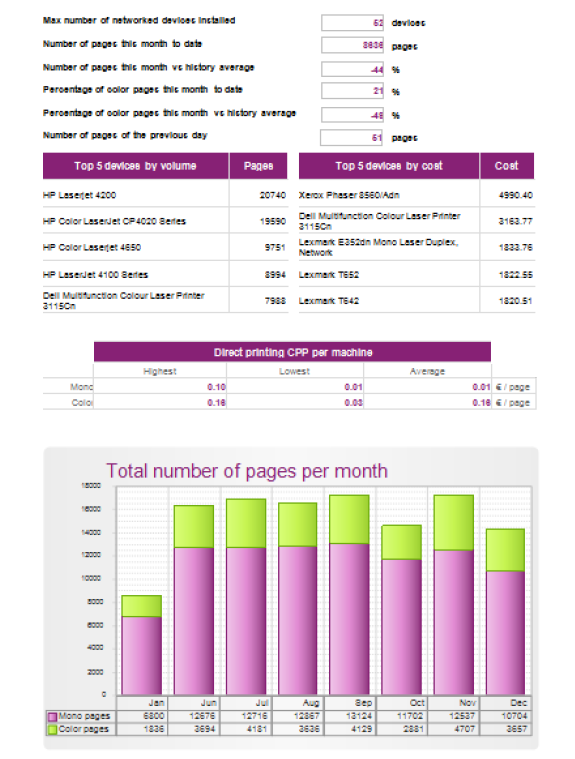
Within In-Map there are two kinds of reports, a brief automated report where you can see the most information for the selected customer directly on your browser right after importing their data and a large set of reports generated in Word or PowerPoint format that can be fully branded and presented to the customer.
See In-Map on your own floor plan.

Contact us for a detailed demo on how In-Map actually works and gain access to a free trial to test it for your own.